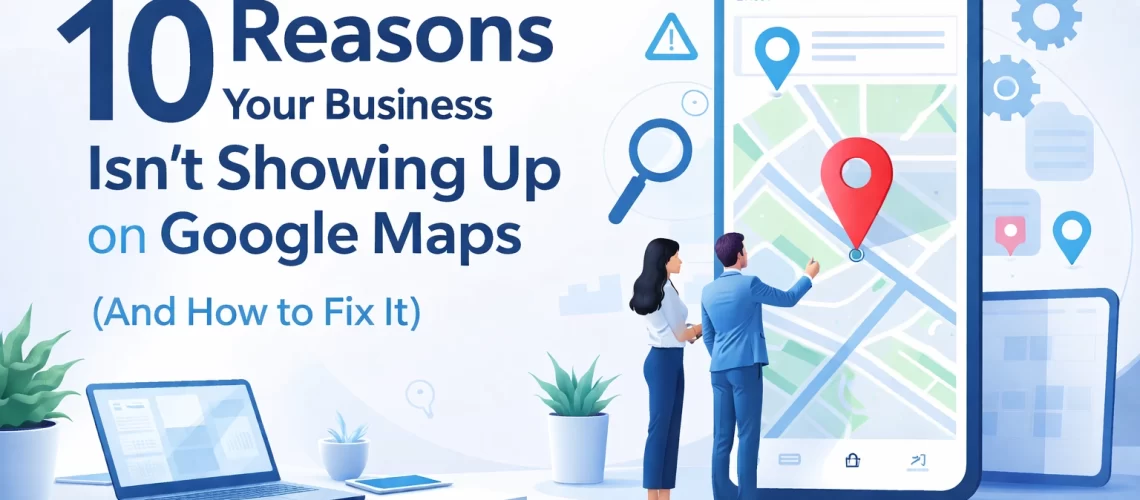
You're great at what you do. Your customers love you. You've built a solid reputation in your community. But when someone searches "plumber near me" or "HVAC repair in [your city]"… crickets. Your competitors show up. You don't.
Frustrating, right?
Here's the thing: your Google Maps ranking isn't just a nice-to-have anymore, it's essential. When local customers need a service, they're not flipping through the Yellow Pages. They're pulling out their phones and trusting Google to show them the best options nearby.
If your business isn't showing up, you're invisible to the exact people actively looking to hire you.
The good news? Most Google Maps visibility problems have straightforward fixes. Let's walk through the 10 most common reasons your business isn't appearing, and exactly how to solve each one.
1. Your Google Business Profile Isn't Verified
This is the number one culprit. You might have created a Google Business Profile (formerly Google My Business), but if you haven't completed the verification process, Google treats your listing like it doesn't exist.
The Fix: Log into your Google Business Profile and complete verification. Google typically sends a postcard to your business address with a PIN code, this can take up to two weeks. Some businesses qualify for phone, email, or instant verification if you've already verified through Google Search Console.
No shortcuts here. Get verified, or stay invisible.
2. Your Listing Has Been Suspended
Made a bunch of changes to your profile recently? Added information that doesn't quite match what's elsewhere online? Google might have flagged your listing as suspicious and suspended it.
The Fix: Check your Google Business Profile Manager for any notifications. Google will usually tell you what triggered the suspension. Address the issue directly, request reinstatement, and be patient, this process can take a few days.

3. Your Business Information Is Incomplete
Google rewards complete profiles. If you're missing your business hours, phone number, website, service area, or categories, you're essentially telling Google you're not ready to be found.
The Fix: Fill out every single field in your Google Business Profile. And we mean every field. Your business name should match exactly what's on your storefront or official documents. Add high-quality photos. List your services. The more complete your profile, the more confident Google feels about showing you to searchers.
This is where Google Business Profile optimization really starts, with the basics done right.
4. You've Chosen the Wrong Categories
Your primary category tells Google what searches you should appear for. If you're a residential electrician but your category says "Electrical Equipment Supplier," you're going to miss out on the customers who actually need you.
The Fix: Review your primary and secondary categories carefully. Your primary category should be the most specific, accurate description of what you do. A plumber should be categorized as "Plumber," not "Contractor." An HVAC company should be "HVAC Contractor," not "Home Improvement Store."
Get specific. Get found.
5. You're Too Far from the Searcher
Google Maps prioritizes proximity. If someone searches "lawyer near me" while sitting in downtown Atlanta, and your office is 30 miles away in the suburbs, you probably won't show up in their results.
The Fix: You can't move your office (probably), but you can make sure Google understands your service area. If you serve multiple areas, make that clear in your profile. If you have multiple physical locations, create a separate Google Business Profile for each one.
For service-area businesses, plumbers, HVAC techs, electricians who travel to customers, set up your profile correctly without displaying a physical address (more on that in a moment).
6. Your Profile Shows an Address When It Shouldn't
Here's a common mistake for service-area businesses: listing your home address or a P.O. Box on your Google Business Profile.
Google's guidelines are clear: if customers don't visit your physical location, you shouldn't display your address. Violating this can get your listing suspended.
The Fix: If you're a service-area business (you go to customers, they don't come to you), remove your street address from your profile. Instead, define your service area by city, county, or zip code. This keeps you compliant and helps you show up for relevant local searches.
7. You Share an Address with Other Businesses
Running your business out of a shared office space? A co-working facility? Your building might have multiple Google Business Profiles at the same address, and Google doesn't love that.
The Fix: Add a suite number, unit number, or other distinguishing identifier to your address. This helps Google understand that your business is distinct from others at that location.
8. You Lack Online Prominence
Local SEO isn't just about your Google Business Profile. Google also considers your overall online presence, reviews, citations, website authority, and how well-known your business is across the web.
If your competitors have 200 reviews and you have 12, guess who's getting the spotlight?
The Fix: Start building your online prominence strategically:
- Ask happy customers for reviews (and make it easy for them)
- Respond to every review, positive and negative
- Post updates to your Google Business Profile regularly
- Get listed in relevant local directories with consistent information
- Link your website to your Google Business Profile
This takes time, but it compounds. Every review, every citation, every update builds your authority.

9. Your Information Is Inconsistent Across the Web
Your business name, address, and phone number (NAP) need to be identical everywhere online. If your website says "Smith Plumbing LLC" but your Google profile says "Smith Plumbing" and Yelp says "Smith's Plumbing Services," Google gets confused.
Confused Google = lower rankings.
The Fix: Audit your online presence. Check your website, social media profiles, directory listings, and anywhere else your business appears. Make sure your NAP is consistent down to the punctuation. Yes, it's tedious. Yes, it matters.
10. You Recently Made Changes
Just updated your address? Changed your business name? Added new services? Google Maps takes time to process changes: sometimes 2-3 weeks.
The Fix: Be patient. If you've made significant changes (especially an address change), you may need to re-verify your listing. Give it time, but keep an eye on your profile to make sure the updates actually went through.
The Real Problem? You're Doing This Alone
Here's what we see all the time: Local service business owners who are exceptional at their craft: master plumbers, skilled HVAC technicians, brilliant attorneys: spending hours trying to figure out Google's algorithm instead of serving customers.
You shouldn't have to become a local SEO expert to get found online. That's not what you signed up for.
Your job is to deliver incredible service. Our job is to make sure the right people find you when they need you most.
At Kudzu Digital, we specialize in helping local service businesses dominate their Google Maps ranking. We handle the Google Business Profile optimization, the local citations, the review strategy, and the technical details: so you can focus on what you do best.
Ready to See Real Movement?
We get it: you've probably been burned by marketing promises before. That's why we created the 30-Day Local SEO Test Drive.
No long-term contracts. No vague reports. Just 30 days of focused work on your local visibility, with measurable results you can actually see.
If your business isn't showing up on Google Maps, there's a reason. Let's find it, fix it, and get you in front of the customers who are searching for exactly what you offer.
Request your free website review and let's talk about what's holding your business back: and how to fix it.